How to install Obeetech Owner app
Published August 11, 2026
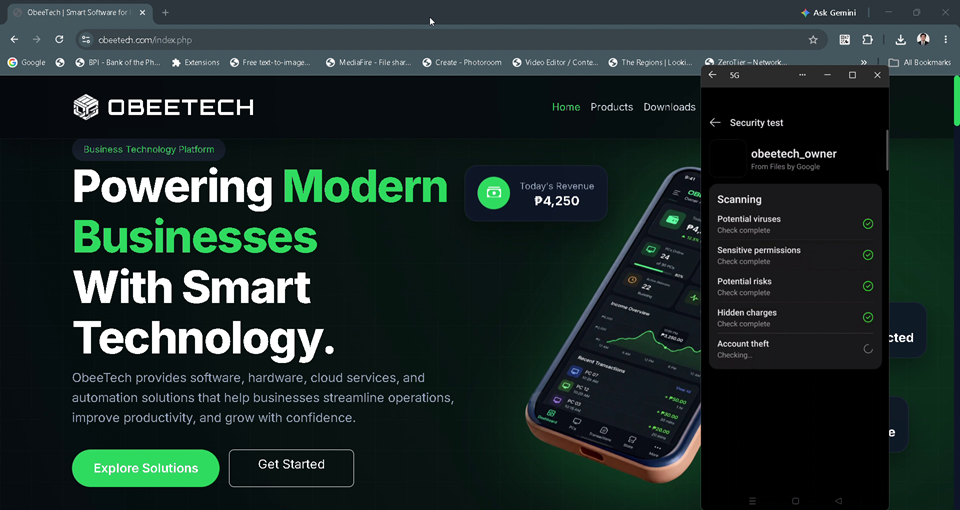
📱 Install ObeeTech Owner App on Android
Follow the steps below to install the OBEETECH Owner App on your Android phone.
STEP 1 — Download the APK
Download the official OBEETECH Owner App APK from the ObeeTech website.
After downloading, open the downloaded APK file from your phone's Downloads folder.
Important: Only install the APK obtained from the official ObeeTech download source.
STEP 2 — Allow APK Installation
If Android displays a message such as:
"For your security, your phone currently isn't allowed to install unknown apps from this source."
tap Settings.
Look for:
Allow from this source
and turn it ON.
On newer Android versions, this permission is normally granted specifically to the app you used to open the APK, such as Chrome or your file manager.
STEP 3 — Install ObeeTech Owner App
Return to the downloaded APK and tap it again.
You should now see:
Install ObeeTech Owner?
Tap:
Install
Wait while Android completes the installation.
STEP 4 — Open the App
After installation is complete, tap:
Open
or find OBEETECH Owner on your Android home screen or app drawer.
STEP 5 — Sign In
Open the OBEETECH Owner App and enter your registered ObeeTech Purchased License key.
Once logged in, you can access the available Owner App features, including your ObeeTech management dashboard and connected PC information.
🔐 Security Notice
Because this application is distributed as an APK outside the Google Play Store, Android may display a security warning during installation.
This is normal for apps installed from external sources. Android recommends being careful with APK files from unknown or untrusted sources.
Only install the OBEETECH Owner App APK obtained from an official ObeeTech source.
After installation, you may turn Allow from this source back off for improved security.
❓ If the APK Won't Install
Try the following:
- Make sure the APK download has completed.
- Delete the incomplete APK and download it again.
- Make sure you have enough storage space.
- Check Settings → Apps → Special app access → Install unknown apps.
- Select the browser or file manager you used to open the APK.
- Enable Allow from this source.
- Try opening the APK again.
If Android still cannot install the application, contact OBEETECH Support and provide the error message shown on your phone.
OBEETECH
Smart PC Management. Powerful Control.
© 2026 OBEETECH. All Rights Reserved.